Moving from Spreadsheets to a Real Finance App (Without Losing Control)
Why Excel power users love Covely's robust, local-first architecture.
Many of the most financially disciplined people refuse to use apps like Mint or YNAB. Instead, they use complex Excel or Google Sheets workbooks. Why? Because spreadsheets offer two things cloud apps don't: absolute control over the data and complete privacy.
However, maintaining a spreadsheet is exhausting. Manual data entry, fixing broken formulas, and building pivot tables takes hours every month. If you are ready to move to a dedicated finance app but terrified of losing control, Covely is the bridge you've been looking for.
The Spreadsheet Philosophy, Upgraded
Covely is designed for the power user. It operates with the same philosophy as a local spreadsheet file, but with a purpose-built UI.
- Local Files: Your financial data is stored in a local SQLite file on your hard drive, just like an .xlsx file. You can back it up, move it to a USB drive, or encrypt it yourself.
- Zero Lock-in: Just like you can export an Excel sheet to CSV, Covely allows you to export your entire ledger at any time. You are never trapped.
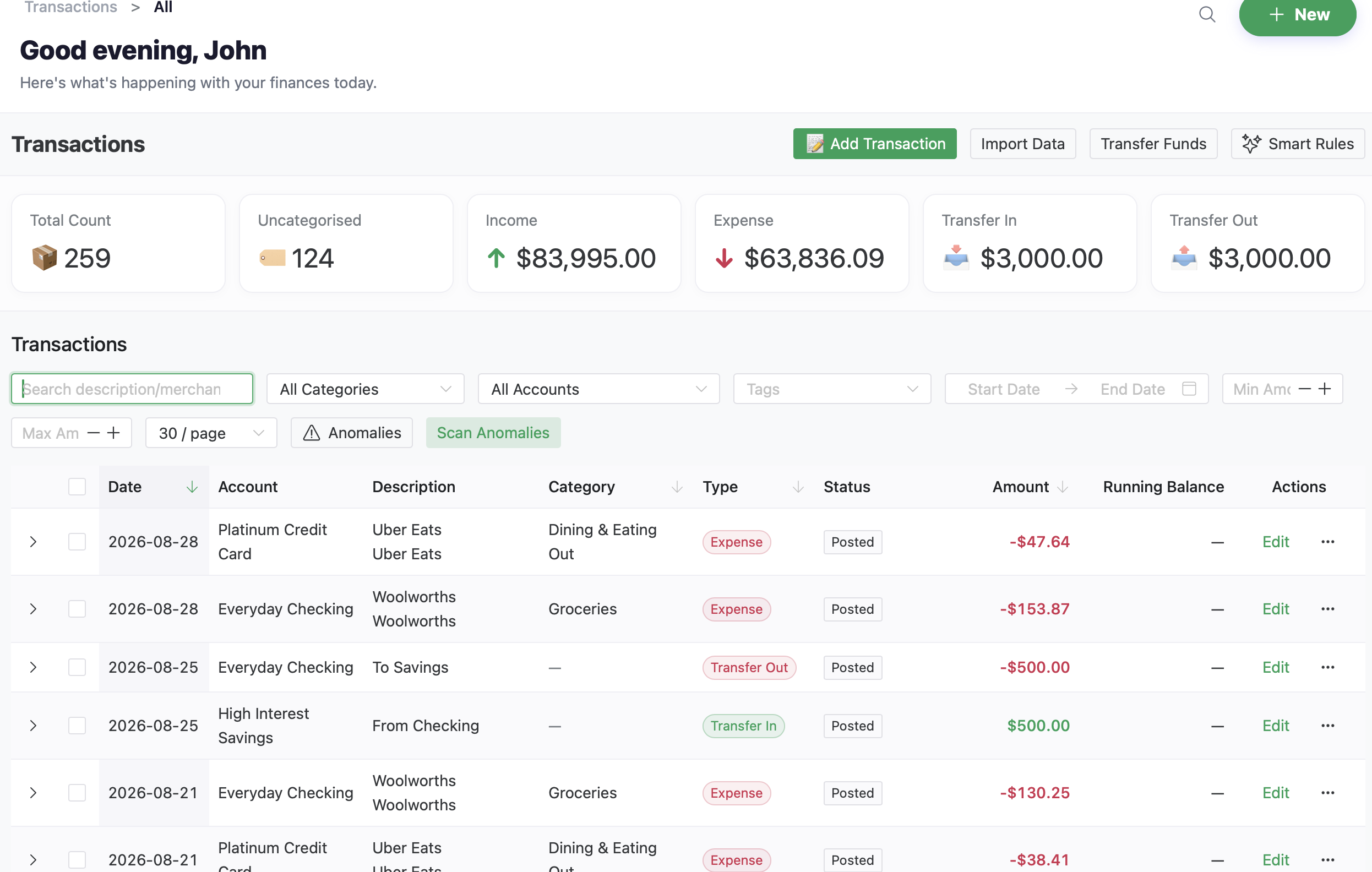
What You Gain By Upgrading
By migrating from a spreadsheet to Covely, you get features that are impossible to build in Excel:
- Instant Global Search: Find a specific transaction from 5 years ago in milliseconds.
- Automated Categorization: Let the local rules engine auto-categorize your CSV imports instantly, eliminating manual entry.
- Dynamic Reporting: Generate beautiful PDF Income Statements and Net Worth charts with zero formula maintenance.
How to Migrate: Tips for Success
Migrating years of financial history can feel daunting, but Covely's bulk import tools make it a breeze. Here are our top tips for a smooth transition:
- Export Clean CSVs: Download your historical data from your bank (or export your existing spreadsheet) as a standard CSV file. Ensure you have clear columns for Date, Amount, Payee, and Category.
- Set Up Your Account Structure First: Before importing any data, recreate your current account list (Checking, Savings, Credit Cards) in Covely to ensure everything maps correctly.
- Start Fresh or Import History: You can choose to draw a line in the sand and start tracking from today's balances, or import your entire history. If importing history, do it one account at a time to keep things organized.
- Let Automation Do the Heavy Lifting: As you import your first batch of transactions, take 5 minutes to set up Covely's Automation Rules. Covely will instantly scan and categorize your raw CSV data based on the payee names, saving you from tedious manual sorting.
You no longer have to choose between the privacy of a spreadsheet and the convenience of an app. Covely gives you both.